Set the journey boundary
A journey workshop can become an endless map of everything a customer might do. Choose a specific actor, goal, and start and end condition. State the product or service boundary and what context lies outside the team’s control. Participants should know whether they are describing a real journey, a target experience, or a hypothesis to test. Those distinctions matter when the map later informs product investment.
For a first-time administrator inviting colleagues, the journey might begin when the administrator receives workspace access and end when the invited colleague completes a first shared task. It does not need to cover every aspect of account setup or long-term governance. The boundary helps the group examine the invitation experience in depth. If a participant describes a procurement delay before access, record it as upstream context and decide whether it belongs in this workshop’s scope.
Anchor stages in customer actions
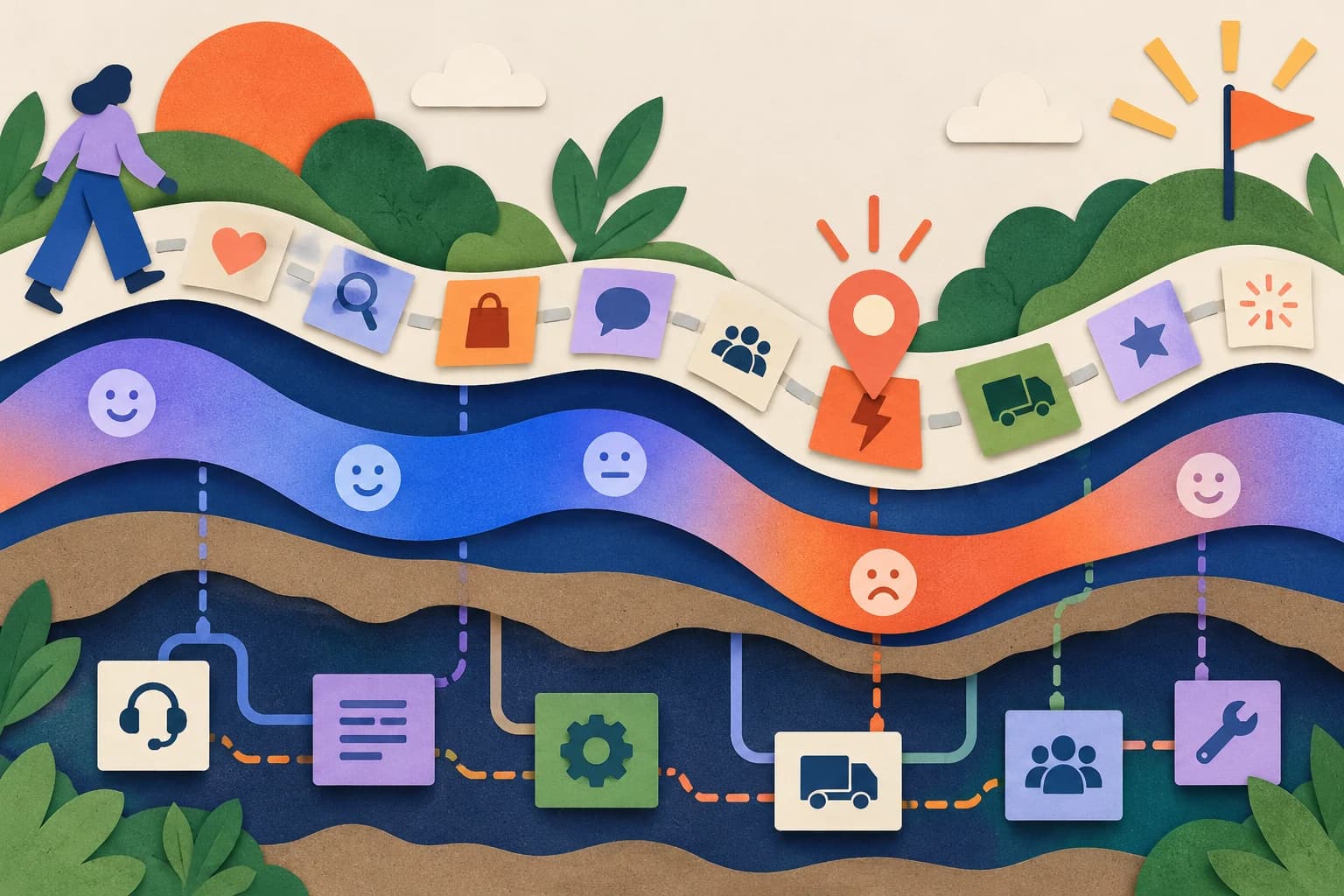
Journey stages should describe what the customer is trying to do, not the organization’s internal department names. A useful sequence might include understand the need, prepare information, take an action, confirm the result, and continue work. Include thoughts or feelings only when there is evidence or when clearly labeled as a hypothesis. Keep internal steps in a separate lane so participants can see where the organization intersects with the experience.
The administrator may identify colleagues, choose roles, send invitations, and check who has accepted. Product, support, and email delivery each contribute behind the scenes. Showing both customer action and internal response can expose a gap, such as an email being sent without a clear in-product confirmation. Avoid inventing an emotional curve based on workshop participants’ intuition. Ask which observation, support case, or user quote supports the interpretation.
Capture friction with evidence and consequence
A sticky note saying “confusing” does not tell the team what happened or why it mattered. Describe the moment, the customer’s action, the obstacle, and the consequence. Add a source or confidence label. A friction point may be common but low impact, or rare but costly. The workshop should make both frequency and consequence discussable without collapsing them into one subjective vote.
For example, an administrator may resend an invitation after not finding a pending status. The consequence is duplicate mail and uncertainty about whether the colleague can access the workspace. A support case could confirm that this behavior occurs, while a usability session may show why. Label those sources separately. If participants have only guessed that users resend, mark it as a research question. This precision helps teams prioritize problems they understand rather than loud phrases on a wall.
Include backstage work and handoffs
Customer experiences often depend on work the customer cannot see: identity checks, queue processing, approval, data updates, or support triage. Add a backstage lane when it explains delay, inconsistency, or a broken promise. Map handoffs and ownership, but avoid turning the journey into a full system architecture. Include only backstage elements that change the experience or the team’s ability to improve it.
An invitation may pass through email delivery and identity verification before the colleague appears as active. If the email is delayed, support may receive a case without knowing whether the invite was accepted. Showing this sequence reveals why a pending state needs a trustworthy source. The map can point to a technical question for investigation rather than asserting the cause. Keep system names and sensitive details in restricted follow-up materials when a workshop artifact will be shared broadly.
Choose a priority with explicit criteria
After mapping, resist voting for the most visually prominent note. Agree on criteria such as customer impact, strategic relevance, evidence quality, reach, and feasibility. The team may decide that one severe edge case outweighs a frequent minor inconvenience. Explain the reasoning and what falls outside the first effort. A priority should be a problem statement, not a feature selected before the team explores options.
The team might prioritize “administrators cannot tell whether an invite is still valid” over “invitation email wording feels plain.” The first affects confidence and support effort; the second may matter but is less directly connected to task completion. The team should verify those distinctions with evidence and customer context. A two-by-two plot can help compare, but the criteria and discussion matter more than precise placement. Record why the chosen friction deserves investigation now and what other issue will wait.
Turn the priority into a learning plan
End with a next step that reduces uncertainty: observe the task, inspect relevant support cases, prototype a status change, or test an operational hypothesis. Name an owner, participants, and the decision the evidence will inform. Do not promise a design outcome at the workshop. Customers and colleagues should see that the next step follows from what the map revealed.
For the invitation status problem, the team could test whether administrators understand pending, expired, and accepted states using a prototype and realistic scenarios. A support specialist can check that the labels map to actual operational states. The decision might be whether to add a visible state, change email behavior, or investigate delivery timing. After the test, update the journey with what was confirmed and what remains. The map then records a path from observation to a deliberate product question.
Prepare the customer journey in Autodiagram with user actions and backstage handoffs, leaving hypotheses visibly open. Add verified workshop findings later and export a PNG for synthesis.