Set a learning goal, not a blame target
A retrospective timeline can help a team understand why a launch moved. It becomes harmful when the implied question is “who caused the delay?” Instead ask what the team expected, what happened, and which conditions changed the plan. That framing encourages accurate accounts and makes it more likely that people will share early warning signs.
Choose a boundary such as project kickoff through launch. Include the original target date as a reference, then plot actual decisions, blockers, and scope changes. Do not silently replace the initial plan with the final dates; the difference is part of what the team needs to understand.
Put planned and actual events in conversation
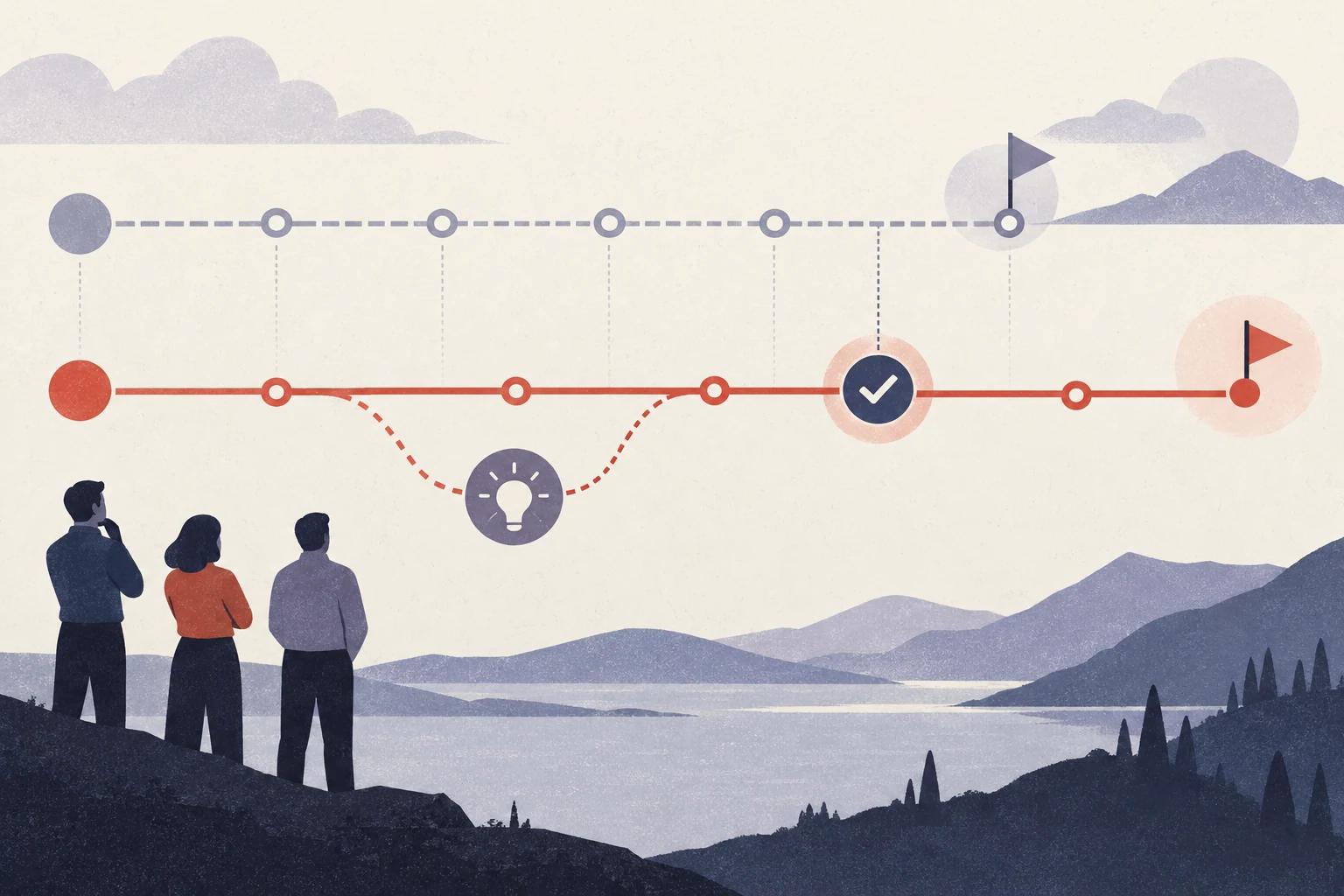
Use two visual tracks or paired labels for planned and actual milestones. The plan may have expected content approval in week three, while actual approval came after a legal question in week five. Showing both dates makes the drift visible and gives the discussion a concrete place to begin.
Add the decision or assumption behind a milestone. “Legal review scheduled” says little; “review began after the new data field was proposed” explains a dependency that the initial plan missed. Use neutral descriptions and verify them with the people involved. A timeline is a shared account, not an investigator’s verdict.
Include discoveries and scope changes
The team may have learned that a legacy page had no content owner, or that a key service needed migration before launch. Mark when the information became known and what response followed. Distinguish when the underlying condition existed from when the team discovered it; those dates answer different questions about planning and observability.
Scope changes also deserve context. Perhaps the launch added a searchable guide after user testing revealed navigation problems. The extra work may have been a sound decision, even if it moved the date. Show the reason and the tradeoff the team accepted. A timeline should allow a project to be late and still have made the right choice.
Use evidence alongside memories
People remember stressful periods differently. Bring issue records, meeting notes, release announcements, and review dates to the session. Use them to anchor sequence, then let participants explain what the records do not capture. Avoid turning a timestamp into a complete explanation: a ticket opened late may reflect a problem noticed late, or a reporting delay.
When accounts conflict, record the uncertainty and identify what evidence could clarify it. Do not force agreement simply to make a clean visual. A note such as “content ownership unclear; recollections differ” is more honest and may become a useful follow-up. Keep sensitive personnel details out of the shared timeline unless they are necessary and appropriate for the audience.
Turn patterns into a small improvement
Once events are visible, look for repeated conditions: decisions arriving after implementation began, unclear content ownership, or no buffer for review. Choose one pattern the team can influence. For example, add a named content owner and approval date to the launch checklist. Avoid creating a dozen new rules from one project’s unusual circumstances.
State what would count as improvement next time. The team might check whether every page has an owner before design freeze, or whether legal review begins when a data field is proposed. That measure should fit how the team works. The timeline explains the origin of an experiment; it does not prove that the experiment will solve the pattern.
Close the retrospective with accountability
End with a short list of actions, each with an owner and review point. Link those actions to the events that motivated them, so the visual does not become a dramatic story without follow-through. Share the timeline with participants and invite corrections, especially where a milestone’s wording could misrepresent the work of another team.
When the next project begins, revisit the actions and compare the new experience with the pattern. The retrospective timeline can be archived as a learning record, while the current launch plan lives elsewhere. Keeping those artifacts distinct prevents the historical view from being mistaken for the next project’s schedule and makes the lessons easier to carry forward.
Enter the planned and actual launch events as concise dated notes in Autodiagram, then edit the timeline labels to show what changed and why. Keep evidence references in the retrospective notes rather than forcing them into each marker. Use palette and appearance controls for clear planned-versus-actual cues, then export PNG or SVG for the team review.