Turn a concern into an answerable question
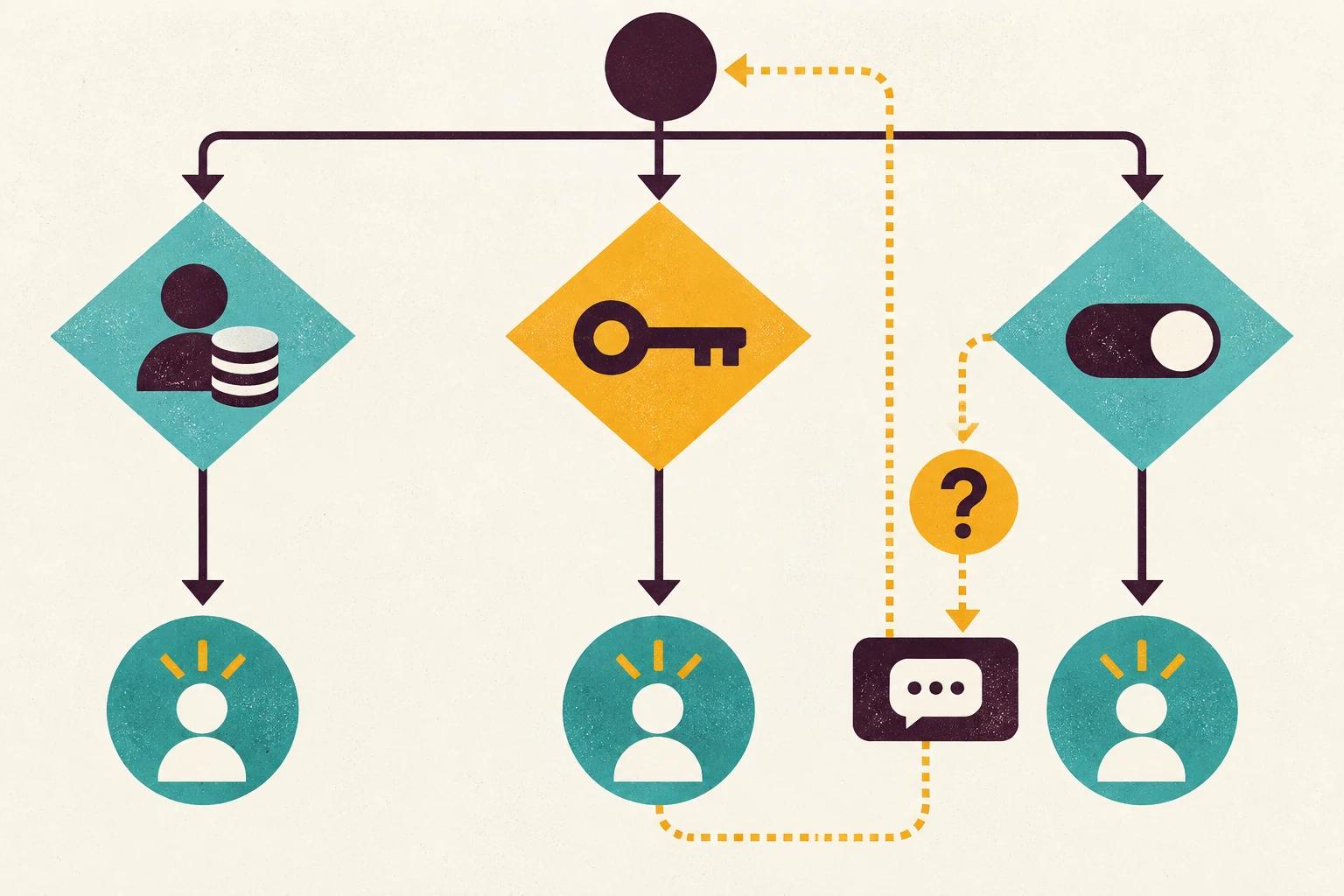
A decision tree is only as consistent as its questions. “Is this project risky?” asks the reader to compress many concerns into a personal impression. For a project review, begin with observable prompts: will the work collect personal data, grant access to an external party, or make a change that is difficult to reverse? Each question points to evidence that a project lead can gather.
Keep the question about one condition. “Does this involve user data or an outside vendor?” combines two facts and makes a yes answer ambiguous. A reader cannot tell which condition triggered the route. Separate them, then decide whether both checks are needed for the routing outcome. The tree can still stay concise if a single answer leads to the same review step.
Define the evidence before drawing branches
For personal data, decide what counts: names in a feedback form, account identifiers in logs, or only sensitive records? The tree should either define the term in a note or link to the organization’s current data guidance. For external access, specify whether a contractor logging into a test environment qualifies. Without definitions, different teams will route similar projects differently.
Write each answer as yes, no, or unknown when the fact may not yet be established. Unknown should normally lead to clarification, not be silently treated as no. Include a prompt that tells the project lead what to find: data fields, vendor access method, or rollback plan. A visible uncertainty path makes the tree safer and more useful than a forced binary choice.
Walk a project through the questions
Imagine a team adding a survey to a public website. The first question asks whether the survey collects personal data. If it asks for an email address, the answer is yes and the project follows the data-review route. If it collects anonymous feedback only, the reader continues to the external-access question. The tree makes the reason for the route visible.
Next ask whether an outside vendor can access collected responses. If a vendor hosts the form but cannot view responses, that distinction may matter under local policy, so the prompt must match the actual rule. Finally ask whether the change is difficult to reverse. If the answers are no and no, a lightweight review may fit; if any are yes, route to the corresponding specialist. Confirm the routes with those specialists before publishing.
Make leaf nodes useful
A tree should end with a next step, not a label such as “moderate.” Use “request privacy review,” “document rollback plan,” or “continue standard review.” If a reviewer must decide whether a risk is acceptable, identify the review role rather than suggesting that the tree makes the decision. A reader should leave the final node knowing what action to take and what information to provide.
If several combinations lead to the same review, consider showing a clear rule: “Any yes answer → specialist review.” This can reduce repetitive branches, but only if the combinations truly have the same owner and evidence requirements. Where privacy and security teams need separate inputs, keep their paths distinguishable or add a shared intake step that routes the request onward.
Balance speed with nuance
A short tree is easy to scan but may hide meaningful distinctions. A detailed tree can encode policy more faithfully yet ask people to answer questions they do not understand. Choose the level of detail based on the reader’s job. Project leads need enough guidance to seek review; specialists may need a separate diagnostic tree with technical conditions.
Avoid using urgency or color to imply a risk score unless the organization has an agreed scoring method. A red branch can communicate “stop and escalate,” but it cannot define what qualifies. Use words to carry the decision rule, and use styling as a secondary aid. Review the wording with people who will use it under time pressure, not only with the policy author.
Pilot the tree against varied work
Try the tree on a survey, an analytics change, and a vendor integration. Ask project leads to answer using actual project documents. Record where they hesitate, which terms they interpret differently, and whether the leaf route reaches the right reviewer. That feedback can reveal a definition problem even when the diagram looks internally logical.
Keep an owner for the question set and a source link to the policy behind it. When data practices or review responsibilities change, revisit the relevant branches. A decision tree makes judgment easier to apply; it should not make an outdated rule look permanent. If a case does not fit, provide a way to contact the owner and capture the gap for the next revision.
In Autodiagram, enter the data, vendor-access, and reversibility questions as a compact outline, with yes, no, and clarification routes nested under the relevant checks. Select a process layout and inspect whether each branch reaches the right review action. Edit ambiguous wording in place, then export SVG or PNG for project leads to use during intake.