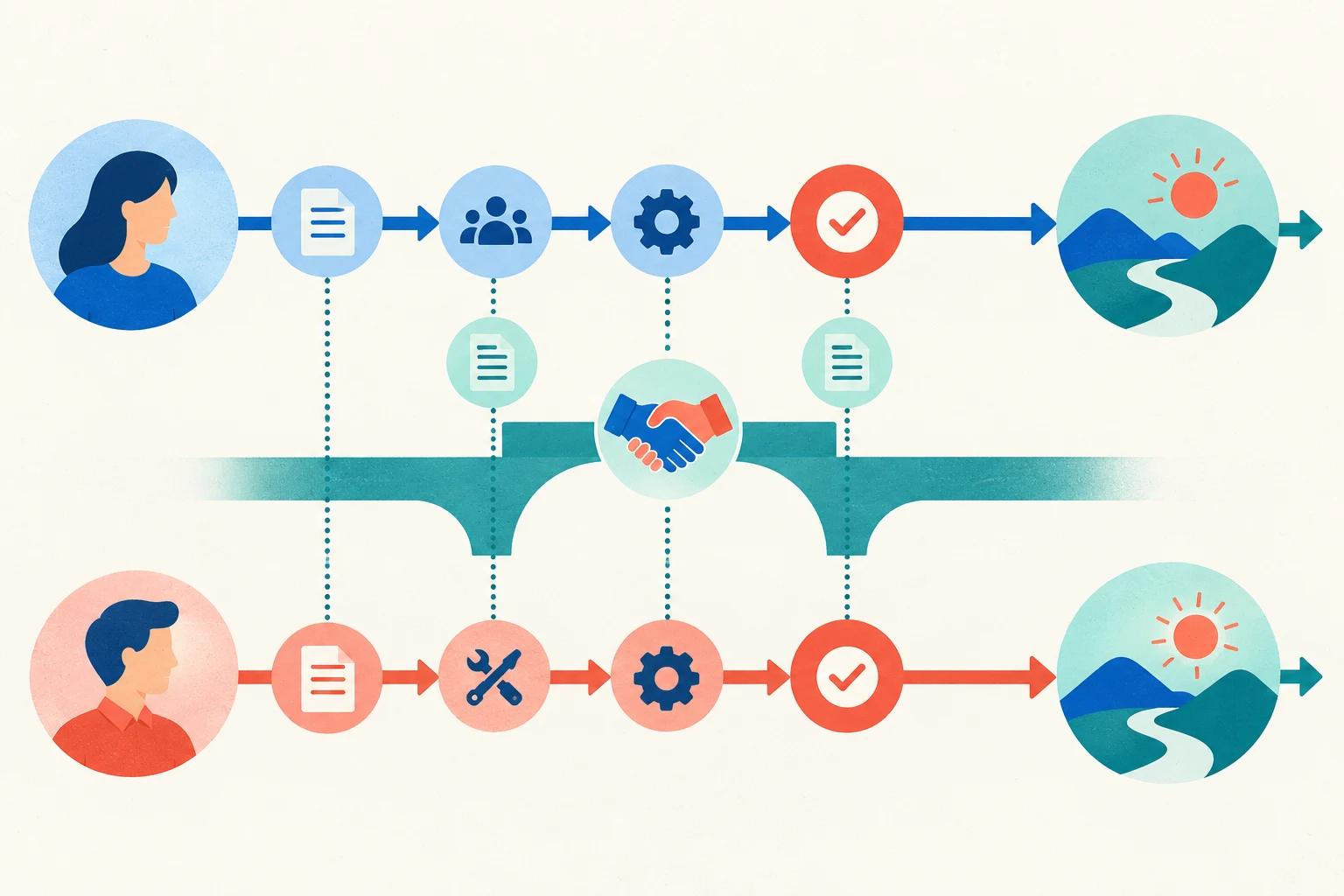
Walk the workflow from trigger to verified result
Operational readiness should begin with the work itself. Identify what starts the process, who acts at each step, what information they need, and how they know the outcome is correct. Include downstream users who depend on the result. A process description that ends when a form is submitted may miss the reconciliation, customer message, or audit record that makes the operation complete.
For a new equipment request workflow, the trigger may be a manager submitting a need. The route could include budget approval, procurement, delivery confirmation, and asset registration. The employee’s actual goal is to have the equipment ready for work, not merely to receive an approval email. Mapping through that result reveals whether tracking and ownership continue after purchasing. It also shows which steps can happen in parallel and where a missing record could strand a request.
Define records and handoffs that preserve context
At each handoff, decide what information the receiver needs and where it belongs. Avoid repeated data entry and free-text messages that omit identifiers. Define a minimum record: request purpose, approved spend, delivery location, responsible person, and status may matter in an equipment workflow. Follow records policy and do not collect personal information that the process does not need.
When procurement passes a purchase to IT, the asset team needs the order details, model, delivery date, intended employee, and any setup requirements. If the laptop arrives without a matching request identifier, it may sit unassigned. The map should show the record traveling with the work and who confirms receipt. If the systems cannot exchange data automatically, document the manual step and its owner. This gives the organization a way to improve later without pretending the handoff is already seamless.
Test ordinary and exception cases
Readiness requires a routine case and exceptions that materially change the action. Ask what happens when information is missing, a supplier is late, approval is declined, or a request changes after ordering. Identify who can stop, amend, or cancel the process and what record must be retained. Do not let an exception route default to “contact operations” without defining who there owns the question.
If the requested model is unavailable, the manager may choose a substitute, procurement may suggest an equivalent, or the request may need to wait. Which role can decide? If a laptop is shipped to the wrong location, can the recipient redirect it, or must procurement contact the supplier? These branches expose decision rights and recovery cost. A tabletop walkthrough can reveal where the new workflow asks people to improvise. Update the procedure before rollout, or stage the process while the gap is resolved.
Prepare workload, training, and support
A new process can shift work from one role to another or create more exceptions than anticipated. Estimate the operational load with people who know the current process. Provide role-specific training and a short reference at the point of use. Name who answers questions during the transition and how issues are triaged. A process is not ready merely because the software form is live.
If managers must add an asset owner and delivery location, explain why those fields matter and how to handle a shared device. Procurement may need a queue for requests that lack approval. IT may need a support contact for setup failures. Check that teams have time to absorb these changes. If the new form adds required fields but no one explains them, submissions may become slower or inaccurate. Operational readiness includes capacity and support, not just configuration.
Monitor the process and revise from evidence
Decide how the team will notice failures and who responds. Useful signals might include requests waiting at a stage, returned forms, mismatched deliveries, or repeated questions. Define the period and source, and avoid metrics that encourage people to rush an important control. Review feedback after the workflow has operated through a representative cycle and include frontline perspectives.
If requests accumulate at finance approval, the cause may be missing budget guidance rather than a slow approver. If asset records are incomplete, the handoff from procurement may need a field or validation. Examine cases before proposing a broad redesign. Assign an owner to update the map and make sure old instructions are retired. Readiness is not a one-time declaration; it is the team’s ability to operate the workflow, detect when it fails, and adapt it without losing accountability.
Map the operational workflow in Autodiagram from trigger through verified result, with roles, handoffs, and exception routes. Update ownership after a walkthrough and export an SVG for the runbook.