Start with the reader’s process question
“Show the process” is not yet enough to choose a diagram. Ask whether readers mainly need to know what comes next, which route applies to a case, or who owns each step. These questions overlap in real work, but a diagram becomes easier to read when one is clearly primary.
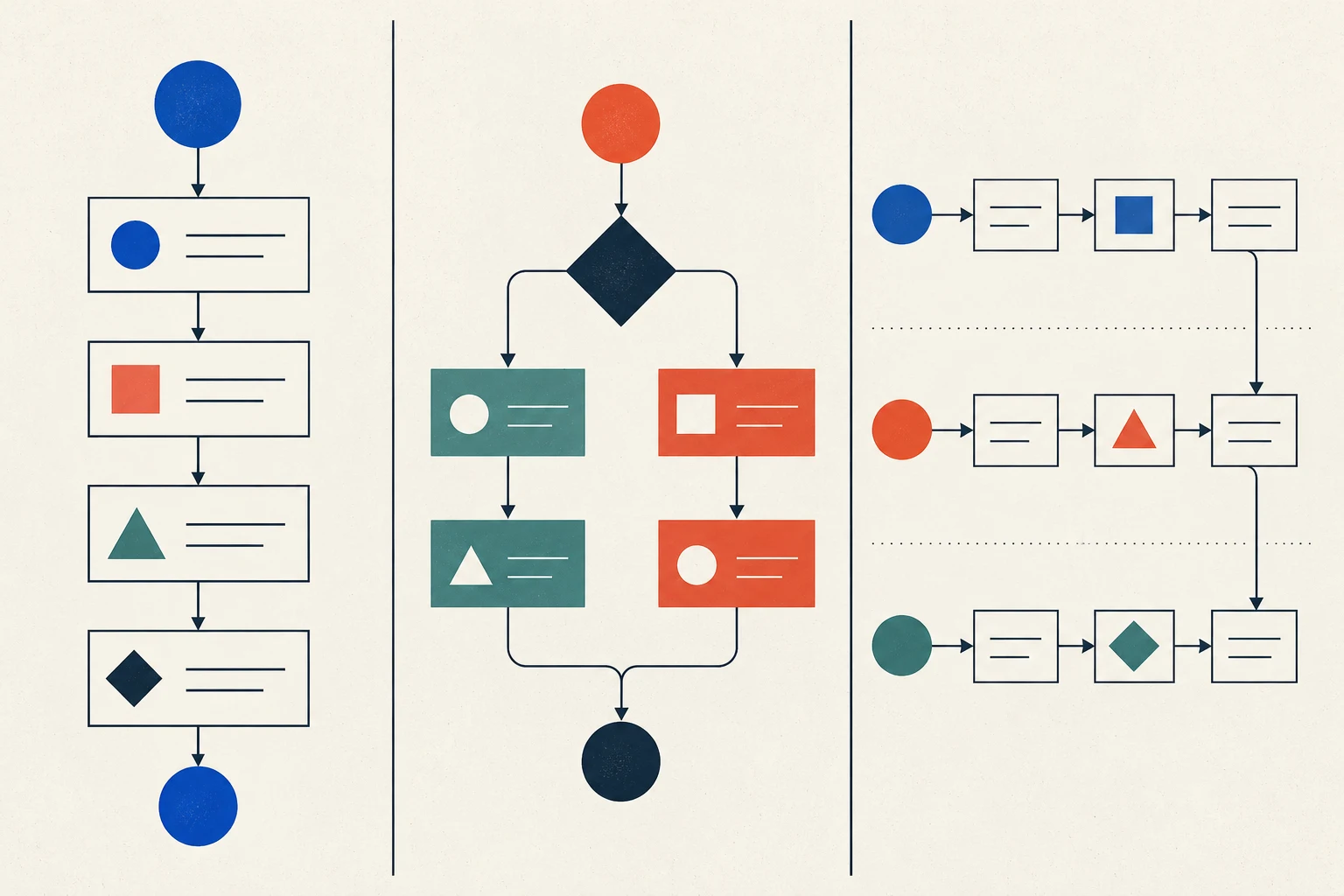
Consider a purchase request. A straightforward sequence can show submission, review, approval, and payment. If requests above a threshold take a different route, a flowchart can show that decision. If finance, the manager, and procurement each perform distinct tasks, swimlanes can make those handoffs visible.
Use a flowchart for meaningful branches
A flowchart is a better fit when a question changes what the person should do. Write the decision as a question and label the outgoing routes. If every answer still leads to the same action, the branch adds visual noise without helping the reader decide.
In a purchase request, ask whether the cost exceeds the approval limit. The answer determines whether the request moves to a department approver or continues through the standard review. Define the threshold from actual policy and have its owner verify it; the chart should represent the rule, not invent one for symmetry.
Use swimlanes when ownership matters
Swimlanes group work by the role or team responsible for it. They help readers see where a task changes hands and which team holds the next action. Keep lane names understandable to someone outside the team, and make each handoff clear enough that a reader does not infer ownership from proximity alone.
A support escalation might place intake and customer updates in one lane, technical diagnosis in another, and policy approval in a third. If the process has many branches, too many lanes can make it difficult to follow. In that case, show the common route and link to a detailed operating guide for specialized paths.
Test the layout with cases
Trace a normal request through the diagram, then trace one case that takes an exception route. Ask a reader to explain what happens next and who performs it. If they need your verbal explanation, revise the labels or connectors. The best layout is the one that answers the process question without making readers reconstruct missing relationships.
If order, decisions, and roles all matter, choose the primary view and add a compact second view when necessary. Keep both synchronized with the same source and name the distinction in their titles. Two focused diagrams are easier to maintain than one crowded process map that tries to be a complete policy manual.