Choose a bounded task and its audience
An SOP works best when it covers a task with a clear start and finish. “Manage customer accounts” is too broad for one reliable procedure. “Restore access after an administrator loses a second-factor device” has a recognizable trigger and outcome. State who should use the procedure, what permissions or training they need, and what it does not cover. A bounded scope lets the reader decide quickly whether they are in the right place.
Identify the moment that starts the procedure and the evidence that shows completion. If a request comes from a customer, specify what information must be verified before any account change. Do not put sensitive credentials or bypass instructions into a broadly accessible SOP. Link to the approved verification policy and make its owner clear. The procedure can be concise without hiding controls that protect the customer and the organization.
Write actions so another person can follow them
Each step should say what to do, where to do it, and what result to expect. Avoid vague instructions like “check the account” or “resolve the issue.” A useful step might direct the operator to compare the requester with an approved identity signal and stop if the signals conflict. Include the screen or record name only if it is stable and appropriate; interface labels change, so provide a path for locating the relevant control when possible.
Readers need to know why a step matters when the next action depends on the result. A brief note can explain that verification must precede recovery because the change restores access to protected data. This context helps a person recognize when an unexpected case requires a pause. Keep rationale close to the step but visually distinct from the action. Long paragraphs make it harder to scan during a live task; use short, precise instructions and move background explanation to a reference section.
Design the exception path before you publish
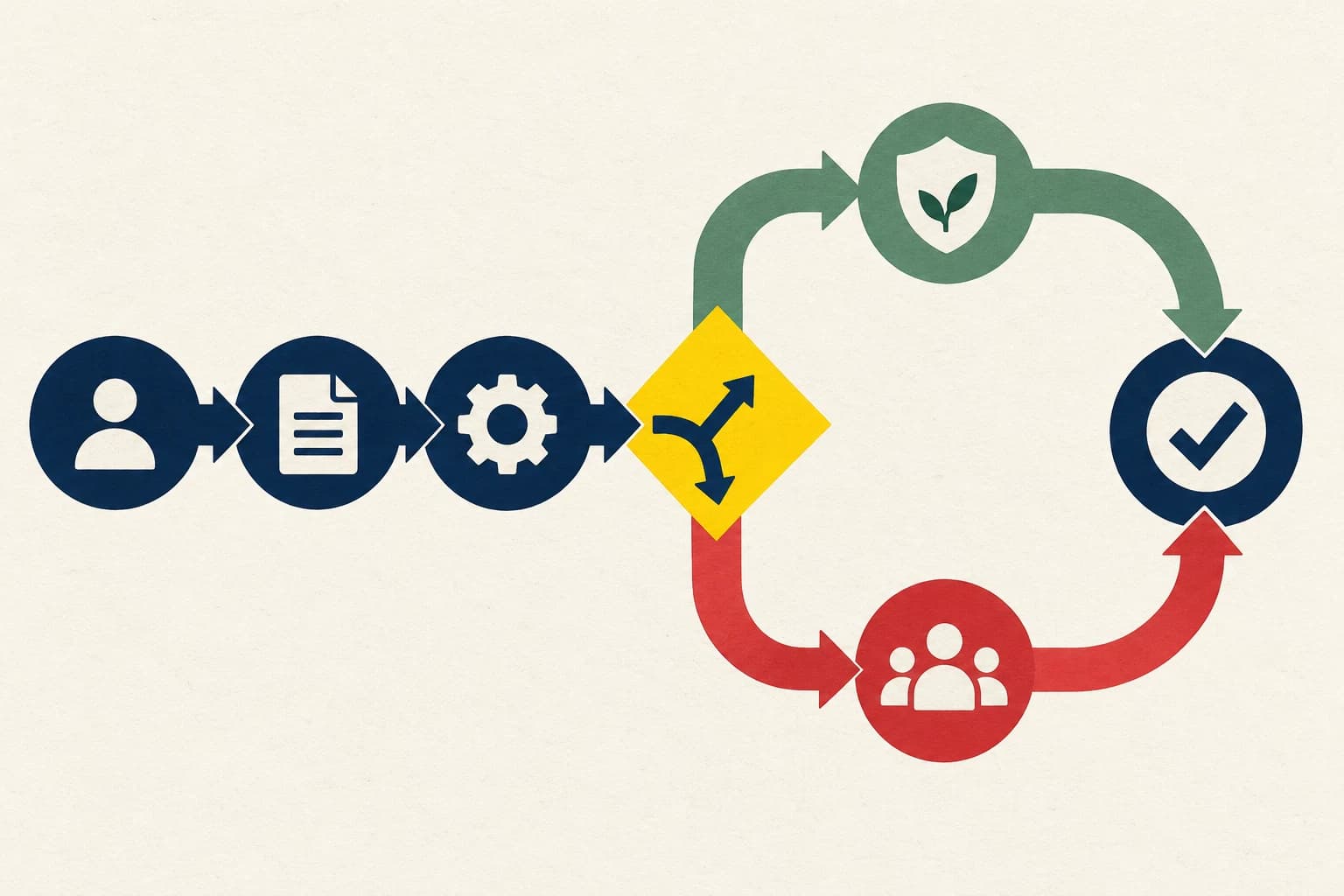
The routine path is only part of an SOP. Ask what happens when required information is missing, the system is unavailable, or the result does not match expectations. For each exception, identify a stop condition, a safe next action, and an escalation owner. Do not encourage improvisation around security or data safeguards. If the correct route depends on the customer’s region, account type, or incident status, state the condition that determines the branch.
For account recovery, a mismatch in identity signals should lead to a pause and a specialist review, not a repeated attempt to bypass verification. If the recovery tool is unavailable, the procedure might direct the operator to record the request and notify the customer through an approved channel. The map should make the stop visible. A person should not have to infer whether an exception is routine or high risk from the fact that the written steps have ended.
Include recovery and reversibility
Some procedures change data or access in ways that are hard to undo. State what can be reversed, who can reverse it, and what record must be preserved first. If an action has a preview, confirmation, or backup step, explain when it is required. Avoid casual advice like “try again” when repeating an operation could create duplicate records or send multiple notifications. A safe procedure tells the reader how to recognize that an action succeeded before they repeat it.
For a permission change, the SOP might ask the operator to confirm the target account and requested role, make the change, then verify that the new access matches the approved request. If an incorrect role was granted, name the correction route and notification requirement. Do not assume the person who caused an error is authorized to conceal or silently reverse it. Recovery guidance should preserve an accurate record and put the right owner in control of high-impact corrections.
Put references and ownership within reach
A procedure often relies on policies, scripts, forms, and system documentation. Link to authoritative versions and show a contact route for a broken or inaccessible reference. Avoid copying long policy text into the SOP; duplication creates conflicting instructions when one copy changes. If a specific revision or jurisdiction matters, identify it. The operator should know whether the referenced material is current enough for the action they are about to take.
Assign an owner who can approve changes and a review trigger such as a system change, policy revision, or incident caused by unclear instructions. A calendar reminder can supplement those triggers, but it should not be the only maintenance practice. Show the last review date and the audience. If teams use local variants, either document their boundaries clearly or maintain separate procedures. A single generic page can become misleading when materially different rules are hidden in footnotes.
Test the SOP in the actual work setting
Give the procedure to someone qualified to perform the task who did not write it. Ask them to follow it using the real approved environment or a safe test equivalent. Observe where they ask questions, hesitate, or choose a different route. Do not coach them unless safety requires stopping the exercise. Record unclear wording, missing prerequisites, inaccessible references, and labels that do not match the interface. A peer review of prose alone cannot reveal every practical obstacle.
Run both a routine case and at least one realistic exception. Then revise the procedure and repeat the part that failed. Keep the final version easy to locate from the place people start their work, and retire obsolete copies through the document owner’s process. An SOP should reduce avoidable variation while preserving a safe path for cases that need judgment. If the task itself changes frequently, consider whether a stable checklist and a short decision guide are more maintainable than a detailed static script.
An Autodiagram flowchart can show the SOP’s ordinary steps and explicit stop or recovery routes. Keep policy source material authoritative, refine the labels, and export an SVG for the procedure page.