Start from the consequence of a choice
A decision diamond earns its place when its answer changes what somebody does. Consider a purchase request. Asking “Is this a good request?” invites opinion and gives the next box no stable meaning. Asking “Is the total above the team’s delegated limit?” points to evidence and routes the request to the right approver.
Write the condition beside the decision while drafting. If you cannot say how to establish the answer, the decision is probably premature. For a request, evidence may be the quoted amount, cost center, and date needed. Identify which field carries the answer; do not expect a reader to guess from an email or an unwritten convention.
Give the question one interpretation
A branch such as “complete?” can hide several checks: required fields, a valid supplier, budget availability, and a business reason. Split those checks only when a failure leads to different remedies. Missing a cost center may go back to the requester, while an unfamiliar supplier may need procurement review. If both failures are treated identically, a single well-defined completeness check may be enough.
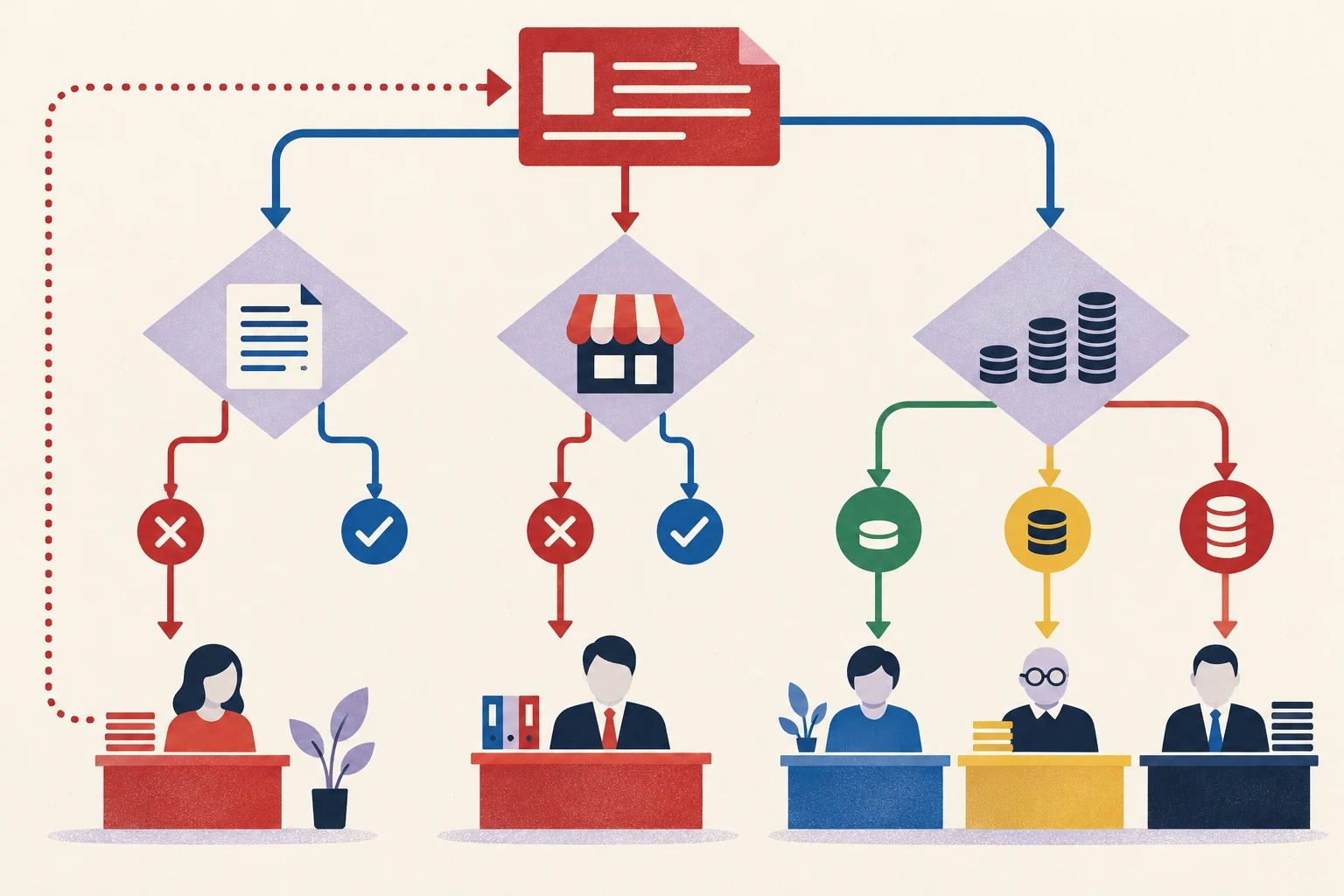
For the sample workflow, use these labels: “Is the form complete?”, “Is the supplier approved?”, and “Does the amount exceed the delegated limit?” Each question is answerable from the request and policy record. Put “yes” and “no” on outgoing connectors, and place the labels close to the lines they describe. If a chart has several nearby diamonds, repeat the question in a connector label when necessary.
Follow one request through the map
Take a request for replacement microphones with a quote, a cost center, and an approved supplier. It passes completeness and supplier checks. If the amount sits under the delegated limit, the team lead can approve it; otherwise finance reviews it. The map now explains why two otherwise similar requests can reach different approvers.
Run a second case with a missing cost center. The route should return the form to its author with a specific correction request, not dead-end at a box labeled “incomplete.” Then try a supplier absent from the approved list. That case should reach procurement without bypassing finance if the amount also exceeds the limit. Multiple conditions can be true; define the order in which the chart checks them.
Make each result actionable
Use verb-led boxes for work: “Return form for cost center,” “Ask procurement to verify supplier,” and “Route to finance.” A terminal node can state the outcome, such as “Purchase approved” or “Request declined with reason.” A status like “Pending” is not enough unless the chart also says who owns the wait and what will trigger the next step.
When both branches eventually lead to the same action, ask whether the distinction needs to appear in this diagram. Keeping a decision that changes nothing adds visual weight and suggests a policy difference that does not exist. Conversely, avoid joining branches too early if the reason for an approval matters for audit or later communication. Consolidate only after the relevant work is complete.
Handle unknown answers honestly
Real requests may lack information needed to answer a decision. A yes-or-no diagram should not force “unknown” into either branch. Add a clarification route when the missing evidence can be obtained, and name the person who requests it. Include a return path to the decision once the answer arrives, rather than leaving the reader to invent a re-entry point.
Keep the map aligned with authority. It can route a high-value purchase to finance, but it cannot itself authorize that purchase. Include a reference to the current approval policy and note who owns it. If the policy changes, the decision threshold and any affected branch labels need review; a visually polished but outdated diagram can send work to the wrong person.
Review branches for fairness and clarity
Ask a requester and an approver to read the same example independently. Compare where they think the request should go and what information supports that choice. Differences reveal hidden assumptions, especially around terms like “urgent,” “complete,” or “approved.” Replace informal wording with observable criteria, or label the point where a human reviewer applies judgment.
A final review should include the awkward cases: missing data, supplier exception, split funding, and an amount exactly at the threshold. Clarify whether the limit includes tax and whether exactly equal counts as above or within. Those details can live in the policy reference if the chart stays readable, but the chart should make clear where to find them.
Autodiagram’s text input is useful for testing this logic before arranging boxes: write each approval check as a question and indent its outcomes beneath it. After choosing a process layout, revise labels and reconnect any branch that has no distinct next step. The editor includes palette and font controls, while PNG and SVG export let the approved version move into a purchasing guide.