Anchor the start in an observable event
A flowchart without a clear start can absorb an organization’s entire history. For contractor onboarding, choose a moment that reliably begins the work: the signed agreement is received and recorded. “Contractor joins” is too broad because it could mean offer acceptance, first day, or successful access. An observable event helps different readers enter the chart at the same place.
Mention prerequisite work without dragging it into scope. The agreement may depend on a separate procurement or hiring process. Add a note or incoming connector saying “signed agreement received,” then let the onboarding map begin. If agreement verification is inconsistent, make that a first step; do not silently assume that the trigger has already been checked.
Decide what completion means
“Onboarded” can mean paperwork finished, accounts provisioned, or the contractor able to perform a first task. Pick the outcome relevant to the audience. For a team responsible for safe access, completion might mean identity checked, required accounts granted, and a manager confirming that the contractor can reach the approved workspace.
A well-chosen endpoint prevents the chart from drifting into an endless description of the contractor’s work. The map can finish at “first task access confirmed,” with a separate reference for ongoing supervision. If a later security review is still required, do not present access as final completion. State the boundary in a short caption so readers understand what happens beyond the diagram.
Build the route between boundaries
Work backward from the endpoint and list what must be true just before it. The manager can verify access only after accounts are provisioned; provisioning requires an identity record and an approved role; the role depends on the work described in the agreement. This backward pass often reveals dependencies that a chronological brainstorm misses.
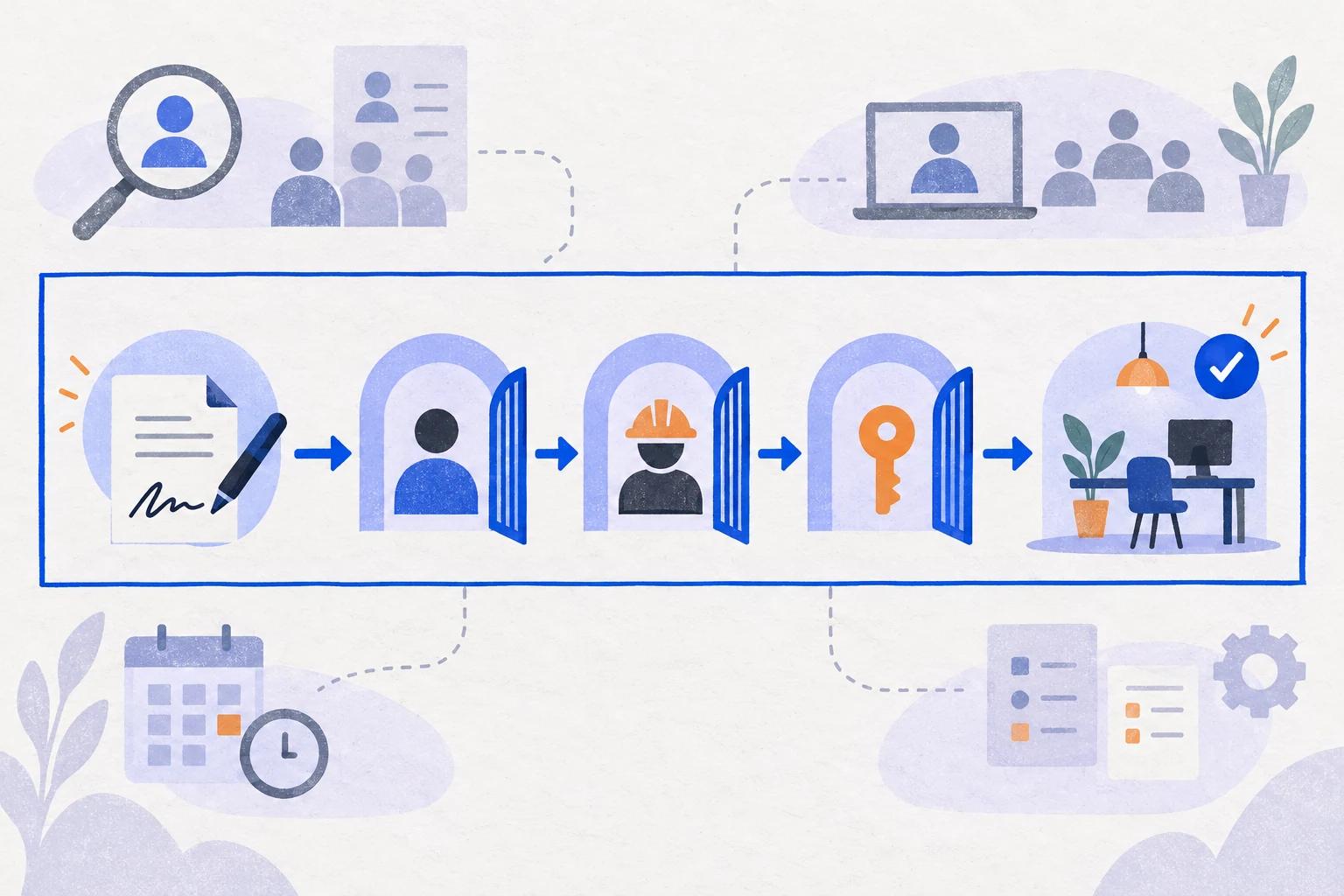
Now trace forward: receive signed agreement, confirm identity, define access by role, provision accounts, and verify access with the manager. Add an exception when a check fails. If identity evidence is incomplete, pause provisioning and request the missing record. If the role is ambiguous, route to the contractor’s manager for clarification rather than issuing broad access “temporarily.”
Avoid scope creep in the middle
Review each proposed node by asking whether it is necessary to reach the selected outcome. Payroll setup may be important, but it may belong to a parallel administrative process. If readers need to see that it occurs, use a side note or a separate lane instead of inserting it into the access sequence. This keeps the map useful for the person coordinating system access.
Parallel work can still have dependencies. For instance, a manager may need to confirm the role before both account setup and equipment preparation proceed. Show that shared prerequisite clearly. Avoid connecting unrelated tasks just because they happen around the same date; a timeline is a better form when elapsed time and overlap matter more than procedural order.
Make boundaries visible to readers
Write a concise title such as “Contractor access setup: signed agreement to verified first task.” It names the start, finish, and intended outcome. Add an owner and source of policy outside the process boxes. This context helps a new coordinator know whether the diagram covers their situation and whom to contact when it does not.
Ask a reader from outside the onboarding team to identify what happens immediately before and after the map. If they infer that the chart handles selection or ongoing performance management, refine the title or add boundary notes. A flowchart should be self-contained enough to travel while staying honest about the work it leaves to another process.
Check the boundary with real scenarios
Test a standard contractor with a clear role and a second contractor whose agreement describes several possible projects. The first should pass through without unnecessary detours. The second should pause at role clarification rather than receiving access to every system. If both routes are equally vague, the boundary or first decision needs work.
Finish by confirming that the endpoint is something the named owner can observe. “Ready” is subjective; “manager confirmed access to the approved project folder” is checkable. If the team later expands the process to include equipment, training, or offboarding, revise the scope deliberately. A clear bounded map can coexist with neighboring maps without claiming to describe the contractor’s whole relationship with the organization.
Use Autodiagram to test the contractor-access outline from the signed agreement to verified first-task access. Enter prerequisite actions as separate lines and indent only true branches, then choose a process layout. Its font and palette controls help the bounded map fit a staff guide; exporting PNG or SVG gives coordinators a shareable reference after the owner confirms the endpoint.