Use the matrix to support decisions
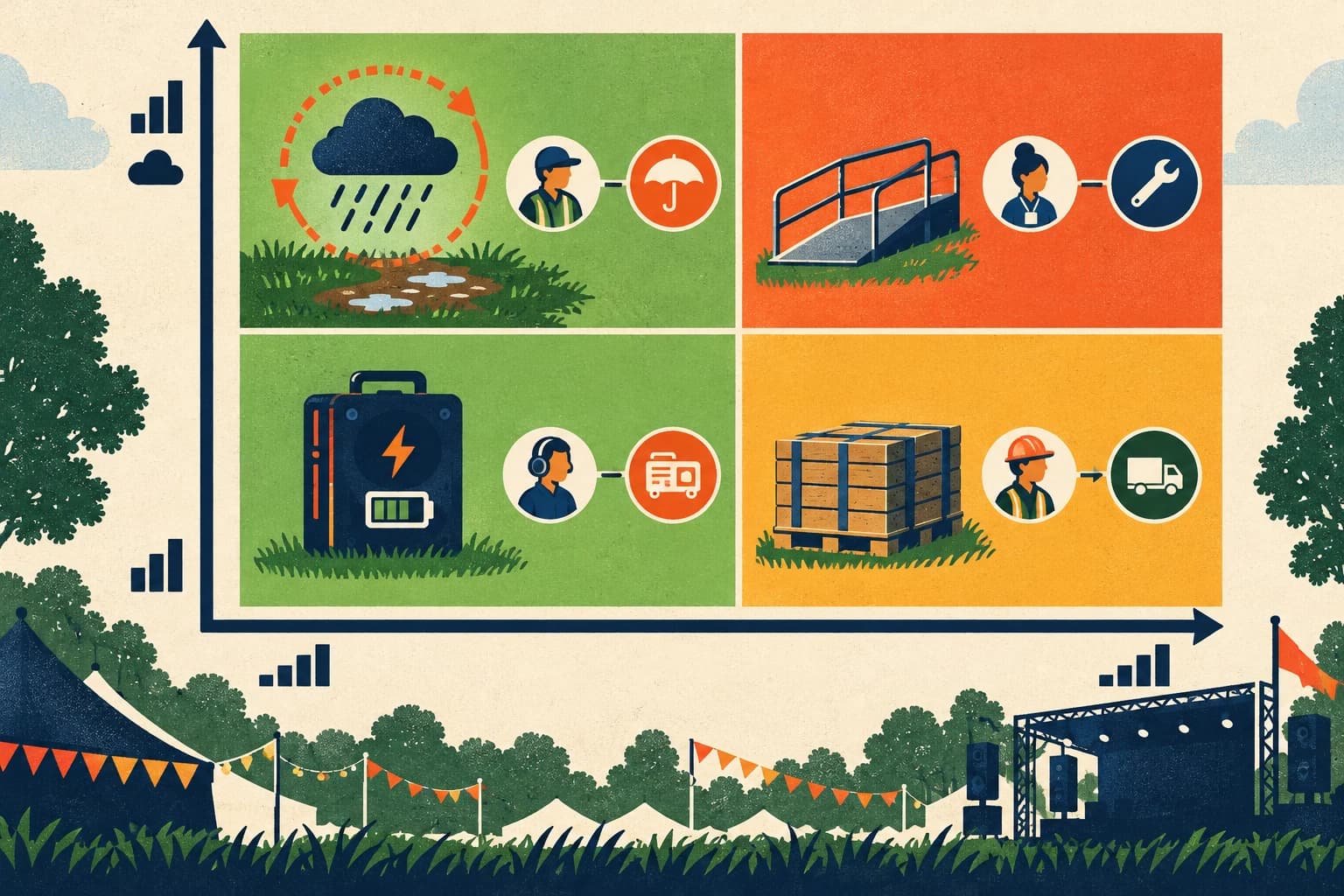
A risk matrix can help an outdoor event team compare weather, access, power, and supplier concerns. It is useful only if a plotted item leads to action. Begin by deciding what the team will do with the view: assign owners, choose mitigations, or decide whether the event can proceed. A colored quadrant without these consequences is decoration.
Define the event scope and review point. A planning matrix a month before the event serves a different decision from a live safety checklist on the day. The planning view can identify preparation and contingency work; it should link to a separate operational response plan for immediate incidents.
Describe a risk as a concrete scenario
Write “heavy rain makes the grass route unusable for wheelchair users” rather than “weather.” The scenario states a trigger and a consequence. “Power” is similarly broad; “portable speaker battery fails during emergency announcements” points to a response. Specific descriptions help owners see what to prevent and what to do if prevention fails.
Consider plausible pathways without listing every imaginable disaster. Ask the venue, event lead, and people with relevant access needs to identify likely disruption. For each risk, note what makes the scenario possible and which event activity it affects. This keeps the matrix grounded in the actual site rather than generic labels copied from another event plan.
Choose scoring definitions before plotting
If the team scores likelihood and impact, define each scale in operational terms. “Likely” might mean the event team has observed the issue at this venue before; “major impact” might mean a core activity cannot proceed safely. Use the organization’s established definitions when available. Do not invent numbers that suggest scientific precision without evidence.
Plot uncertainty too. One risk may have a plausible consequence but little information about likelihood. Mark it as needing assessment instead of giving it a confident score. A matrix can help prioritize discussion, but a low score must not override a legal requirement, accessibility commitment, or safety rule that calls for action.
Attach an owner and response
For the rain scenario, a mitigation might be an accessible hard-surface route and a clear weather decision time. The event lead owns checking the forecast; the accessibility contact reviews the route; communications prepares a participant update. This is more useful than placing a red dot in a high-impact quadrant and assuming everyone knows what follows.
Distinguish mitigation from contingency. Mitigation reduces likelihood or consequence in advance; contingency describes what to do if the scenario occurs. A backup indoor venue may be a contingency, while confirming its availability is an action. Put both in the record with owners and deadlines.
Use review triggers, not static color
A risk can change as a forecast, supplier, or attendance estimate changes. State the trigger for reassessment: forecast crosses an agreed threshold, equipment check fails, or a vendor misses confirmation. Use the team’s actual rule and identify who has authority to invoke the contingency. A static matrix otherwise goes stale just as the event approaches.
Color can help draw attention but should not be the only cue. Pair it with words such as “monitor,” “mitigate,” or “decision needed.” Make the view readable in monochrome and ensure that a critical action is not conveyed solely through hue. The matrix should direct attention toward owners and decisions, not create alarm without guidance.
Review preparedness before event day
At the final planning review, ask each owner to explain the trigger, prevention step, contingency, and communication route for their assigned scenario. A risk is not managed merely because it has an owner’s name. The owner must have authority, resources, and a way to alert the decision-maker if the situation changes.
After the event, compare which scenarios occurred and whether the responses worked. Update the next event’s matrix with evidence, not memory alone. Retain the underlying detail for serious incidents. A risk matrix is a prioritization surface that supports action; it should sit alongside detailed safety procedures and never replace them.
Use an Autodiagram outline to list event risk scenarios with triggers and consequences, then choose a matrix-style comparison layout. Edit each item to include its owner and response rather than only a score. Apply visual emphasis to decision-needed risks and export the result as PNG or SVG alongside the full safety procedure.